Incheon Airport SmartPass Complete Guide
Use face recognition instead of your passport to speed through departure. Step-by-step registration guide.
What is SmartPass?
SmartPass lets you pre-register your passport, face data, and boarding pass so you can pass through departure security and boarding gates using face recognition alone — no more waiting in long queues at Incheon Airport.
How to Register (3 Methods)
📱 SmartPass Mobile App
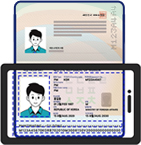
Scan Passport
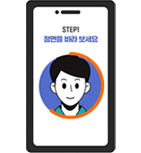
Register Face
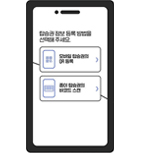
Add Boarding Pass
- • Face data is valid for 5 years from registration date.
- • Boarding pass must be re-added for each departure.
- • Korean Air, Asiana, Jeju Air, and T'way auto-sync the boarding pass.
🏦 Register via Banking Apps
Find the 'Wallet' or 'Life' section in participating Korean banking apps: KB Star Banking, Toss, Shinhan SOL, Woori WON, Hana Q.
🖥️ Self Check-in Kiosks at the Airport
Missed pre-registration? Use the 'Face Registration' menu on any airport self check-in kiosk.
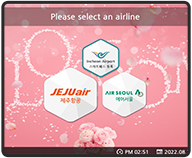
Tap 'Face Reg'
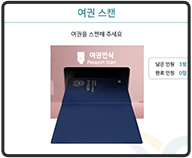
Scan Passport
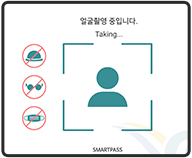
Register Face
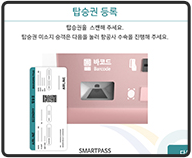
Add Boarding Pass
Which Airlines Support SmartPass?
T1 Terminal 1
Asiana, Jeju Air, Air Premia, Eastar Jet, T'way, Cathay Pacific, EVA Air
T2 Terminal 2
Korean Air, Delta, Jin Air, Air Seoul
⚠️ Important Notes
- • You must still carry your passport and boarding pass even when using SmartPass.
- • Available for ages 7 and up; under 14 requires legal guardian consent.
- • This is a separate service from the automated immigration system.